
Your Best Receipt Organizer App: Shop, Category, Month
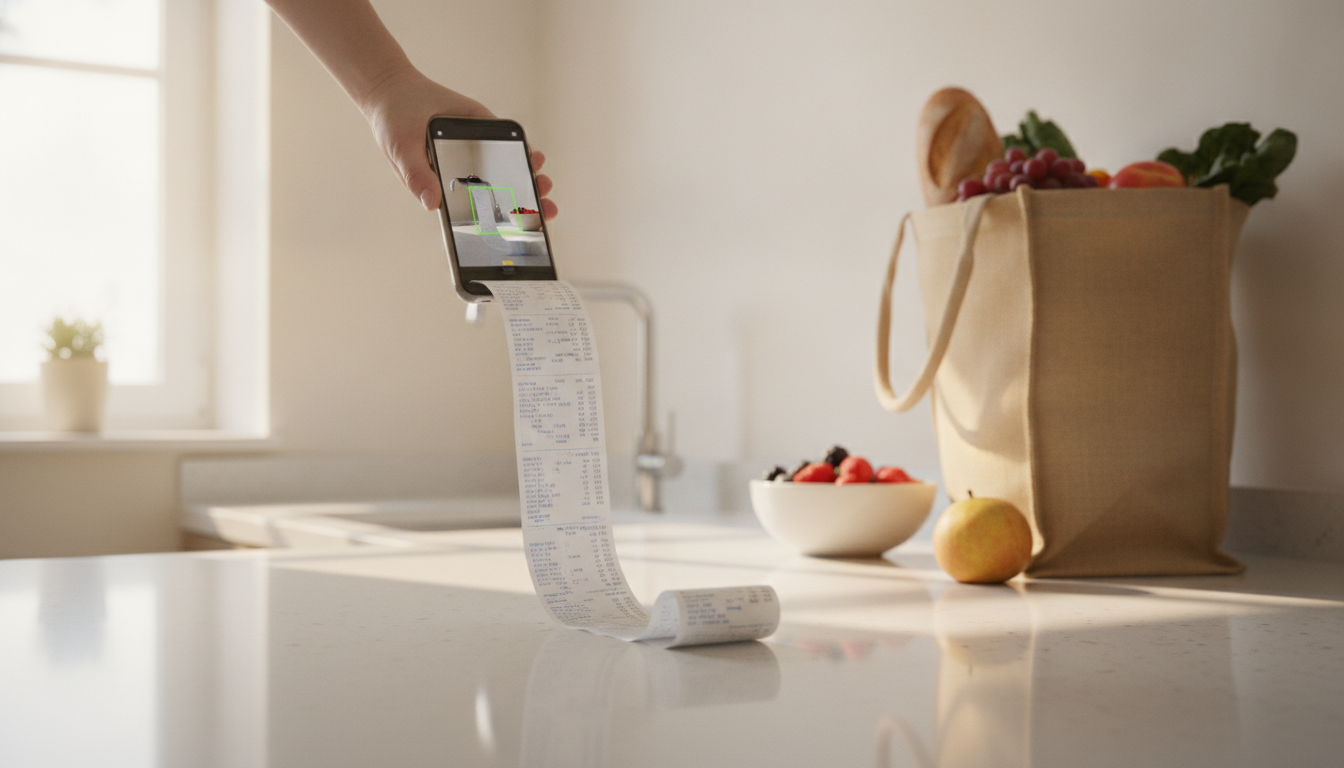
That crumpled, fading Lidl receipt at the bottom of your handbag... sound familiar? Trying to remember if that mysterious 'MOZZ BBL' was mozzarella or some fancy bread? We've all been there. Juggling paper receipts is a headache. A good receipt organizer app isn't just about scanning; it's about giving you clarity on your spending. Imagine instantly seeing how much you spent at Aldi last month, or exactly what you shelled out on groceries versus household items. This article shows you how to use a smart app to sort your receipts by shop, category, and month, turning chaos into calm and making budgeting genuinely easier.
Key Takeaways
- Paper receipts fade and get lost, making budgeting and returns a nightmare.
- A receipt organizer app like Costmanager.online uses advanced AI to capture and interpret receipt data, sorting spending automatically.
- Organising by shop reveals where you spend most, by category shows what you buy, and by month tracks trends.
- Costmanager.online offers item-level tracking, price history, and shopping lists to find the cheapest shops.
- Consistent scanning and review are key to mastering your financial insights.
Why Bother Organising Receipts Anyway?
Let's be honest, most of us treat receipts like hot potatoes. We stuff them into wallets, pockets, or a random drawer, only to forget about them until we desperately need one. Then the hunt begins, often ending in frustration.
The Problem with Paper
Consider the humble Kassenbon from Rewe or the Scontrino from Esselunga. They're often printed on thermal paper, which is notorious for fading into oblivion within weeks, especially if it gets warm or rubs against other items. Good luck returning that faulty toaster to Carrefour after the print has disappeared!
Then there's the cryptic language. "MOZZ BBL" or "LATTE FRSCO" – what even were those? Modern supermarket receipts are full of abbreviations that make deciphering your purchases feel like solving a puzzle. This makes it impossible to know what you actually bought, let alone how much you spent on specific items. And don't get me started on the infamous 40-centimeter Aldi slip that defies any single photo attempt, let alone fitting neatly into a filing system.
Beyond the practical annoyances, there are financial consequences. If you're a small business owner, keeping VAT records (IVA, MwSt, TVA) is non-negotiable. For personal finance, how can you budget effectively if you don't really know where your money goes? You can't. It's like trying to bake a cake without knowing how much flour you have.
The Hidden Benefits of Organised Spending
Taking control of your receipts offers surprising advantages. First, returns and warranties become a breeze. No more scrambling for that faded slip. Second, you gain incredible clarity on your spending habits. Do you really spend that much on impulse buys at the checkout? How much does your weekly grocery shop at Conad actually cost?
Organised receipts are the foundation of effective budgeting. They reveal patterns, highlight areas for savings, and empower you to make informed financial decisions. Imagine knowing your average monthly spend on petrol, dining out, or even just milk. This isn't just about saving money; it's about peace of mind and genuine financial control.
Your Receipt Organizer App: A Digital Filing Cabinet
This is where a dedicated receipt organizer app truly shines. It transforms your messy piles of paper into a structured, searchable digital archive. Think of it as a super-efficient personal assistant for your finances.
How a Receipt Organizer App Works
The core function is simple: you scan your receipt. But the magic happens behind the scenes. When you snap a photo of your ticket de caisse or upload a PDF, Costmanager.online sends that image or document to Google's Gemini AI service. This advanced artificial intelligence is designed to read and interpret the details on your receipt – not just the total, but individual items, prices, VAT lines, shop names, and dates. It's incredibly good at deciphering those tricky abbreviations and figuring out what "LATTE FRSCO" actually means.
What happens if for some reason the primary reading service can't process it? Our system has a built-in on-device OCR (Optical Character Recognition) as a fallback. It's there to ensure we capture as much data as possible, even in rare cases where the main AI service might struggle. Even then, any fallback product translation or categorisation may still use Gemini's intelligence to ensure accuracy. Importantly, nothing is saved to your Costmanager.online account until you've reviewed and approved the parsed data. Your data is always secure and is never, ever sold.
Sorting by Shop: Where Your Money Goes
One of the most immediate benefits of using a receipt organizer app is the ability to sort your spending by the shop. Ever wonder how much you actually spend at Aldi versus Lidl in a month? Or how much goes to your favourite local bakery compared to the big supermarket chains? With Costmanager.online, this insight is just a tap away. You can see a clear breakdown of your expenditure for each store, helping you identify spending patterns and potentially find cheaper alternatives. For instance, you might discover you're spending a lot more at a convenience store than you realised, prompting you to plan your major shops more carefully at Esselunga or Edeka.
This is particularly powerful when coupled with Costmanager.online's price history feature, which shows you how prices for specific products have changed across different shops over time. You can read more about comparing prices in our article on Aldi vs. Lidl prices.
Organising by Category: What You Actually Buy
Knowing where you shop is one thing; knowing what you buy is another. A good receipt organizer app automatically categorises your purchases. Did that "MOZZ BBL" go under "Dairy" or "Specialty Foods"? Costmanager.online processes each item on your receipt and assigns it to a relevant category like "Groceries," "Household," "Dining Out," "Transport," or "Health & Beauty." This item-level categorisation is incredibly powerful. Instead of a lump sum for a whole receipt, you get detailed insights into what types of items consume your budget. You can quickly see how much you spend on fresh produce versus packaged goods, or how much your pet supplies cost each month. This level of detail is essential for true budget control and finding areas to cut back. For a deeper dive, check out our article on spending by category.
Tracking by Month: Your Spending Trends
Once your receipts are sorted by shop and categorised, the app then organises them chronologically by month. This is where you start to see powerful trends. How did your grocery spending in March compare to April? Did your spending on dining out spike during the summer holidays? Monthly summaries give you a high-level overview of your financial health. You can easily compare months, identify seasonal spending patterns, and adjust your budget accordingly. This historical data is invaluable for predicting future expenses and setting realistic financial goals. It's a far cry from manually tallying up faded slips at the end of the month.
The Costmanager.online Approach to Receipt Organising
Costmanager.online is built specifically to make this whole process straightforward and effective for European shoppers. It's not just a scanner; it's a comprehensive tool designed to give you clarity and control over your grocery and household spending.
Scanning Made Simple
We've all wrestled with those ridiculously long receipts – the dreaded 40cm Aldi or Carrefour slips that just won't fit into a single photo. Costmanager.online makes scanning these a breeze with its multi-photo long receipt capture feature. Just snap several pictures, and the app stitches them together digitally, ensuring every item is captured. You can also upload PDF receipts, making it versatile for online orders or digital invoices. The primary reading process uses Google's Gemini AI, ensuring high accuracy in extracting item details, prices, and even VAT lines (IVA/MwSt/TVA), even from thermal paper that's already started to fade. On-device OCR is only used as a fallback for the rare occasions the primary service can't process a receipt, and even then, smart categorisation may still involve Gemini. To get started, just visit Costmanager.online/scanner.
Smart Categorisation and Price Tracking
After scanning, Costmanager.online automatically identifies individual items on your receipt. No more guesswork for "MOZZ BBL". It categorises them, giving you item-level spending insights. This is where the real power lies. You can view your spending by custom categories, understanding exactly where your money is going. Beyond just organising, the app keeps a detailed price history for each product across different shops. Ever wondered if that special offer at Edeka is genuinely better than the regular price at Lidl? Now you'll know. This feature alone can save you a significant amount over time.
Beyond Organising: Saving Money
Costmanager.online takes organisation a step further by helping you actively save money. Our smart shopping list doesn't just track what you need; it checks historical prices and tells you which shop has the cheapest overall basket. Imagine planning your week's groceries knowing you're getting the best deal. For our Pro users (€4.99/month), features like budgets, price alerts for your favourite products, barcode price checks while in-store, and restock reminders turn mere organisation into proactive savings. You can even export your data as a CSV for detailed analysis. Remember, you can try Costmanager.online Premium free for 3 months to see the benefits for yourself, then it's just €1.99/month for Premium or €4.99/month for Pro. We also have articles on how to digitize receipts for budgeting and how to track grocery spending effectively.
Practical Tips for Maximising Your Receipt Organizer App
An app is only as good as how you use it. Here are some simple habits to get the most out of your digital receipt system:
Daily Habits for Easy Scanning
- Scan Immediately: The moment you get home, or even while still in the car, snap a photo of your receipt. It takes seconds, and you avoid the "receipt pile" problem entirely.
- Flat and Well-Lit: Lay your receipt flat on a contrasting surface. Ensure good, even lighting to help the AI (or fallback OCR) read it clearly. Avoid shadows.
- Multi-Photo for Long Receipts: For those epic slips, remember Costmanager.online's multi-photo feature. Take overlapping pictures to ensure no data is missed.
- Review Promptly: After scanning, take a quick moment to review the extracted data in the app. This is where you approve the information before it's saved to your account. Correct any minor discrepancies the AI might have missed.
Review and Refine Your Data
Don't just scan and forget. Periodically, perhaps once a week or at the end of the month, open Costmanager.online and browse your organised receipts. Look at your spending charts. Are the categories accurate? Do you need to create custom categories for specific expenses? The more you interact with your data, the more insights you'll gain and the more accurate your financial picture will become. This also helps you identify patterns and adjust your budget proactively.
Example: A Month of Organised Shopping
Let's illustrate with a hypothetical month. Imagine it's October. You've just scanned your last grocery receipt for the month from Conad. You open Costmanager.online. In seconds, you can see a summary:
- Total October Spending: €850
- By Shop:
- Lidl: €220
- Aldi: €190
- Carrefour: €150
- Local Butcher: €80
- Café: €60
- Rewe: €150
- By Category:
- Groceries: €550 (broken down by item type, e.g., Fresh Produce €120, Dairy €70, Packaged Goods €150)
- Dining Out: €120
- Household Supplies: €80
- Personal Care: €50
- Transport: €50
Suddenly, you have a crystal-clear picture. You notice your "Dining Out" was a bit higher than planned. You also see that while Lidl and Aldi are your main grocery stops, Rewe got a fair chunk too. This level of detail empowers you to make informed decisions for November, perhaps by trying to shift more of your spending to the shops with better prices for your staples, or cutting back on an extra coffee shop visit.
Choosing the Right Receipt Organizer App for You
When picking a receipt organizer app, consider what truly matters for your shopping habits. Here's a quick checklist of features that make a real difference:
- AI-Powered Data Extraction: Does it use advanced AI to accurately read item-level details, not just totals? (Costmanager.online uses Google's Gemini AI, with on-device OCR as a fallback).
- Multi-Photo Long Receipt Support: Can it handle those extra-long supermarket slips?
- PDF Receipt Upload: Is it versatile enough for online purchases?
- Item-Level Categorisation: Does it break down spending by individual products and assign categories automatically?
- Price History Tracking: Does it remember prices for specific products across different stores?
- Shopping List with Price Comparison: Can it help you find the cheapest overall basket? (Costmanager.online Pro feature).
- Budgeting Tools & Alerts: Can you set budgets and get alerts for price changes? (Costmanager.online Pro features).
- Data Security & Privacy: Is your data secure, not sold, and do you review before saving? (Costmanager.online ensures this).
- European Market Focus: Does it understand European receipt formats, VAT lines, and common shop names?
Comparing manual receipt organisation with an app like Costmanager.online clearly shows the benefits:
| Feature | Manual Receipt Organisation | Receipt Organizer App (e.g., Costmanager.online) |
|---|---|---|
| Time Spent | High (sorting, data entry, calculating) | Low (quick scan, AI does the work) |
| Accuracy | Prone to human error, missed details | High (AI reads item-level, precise) |
| Fading/Loss | Major problem with thermal paper | Eliminated (digital archive) |
| Item-Level Insights | Extremely difficult or impossible | Automatic, detailed per item |
| Categorisation | Manual, inconsistent | Automatic, consistent, customisable |
| Shop-Specific Spending | Manual tallying, time-consuming | Instant reports by shop |
| Monthly Trends | Manual calculation, hard to compare | Automatic charts, easy comparisons |
| Price History | Impossible to track accurately | Automatic per product, across shops |
| Budgeting Help | Basic, requires significant effort | Advanced tools, proactive alerts |
| Returns/Warranties | Reliant on physical receipt condition | Digital backup always available |
Taking Control of Your Spending
Imagine never again having to rummage through a cluttered wallet for a faded Scontrino, or squint at cryptic abbreviations on a Kassenbon. With a powerful receipt organizer app, you don't have to. By digitally filing your spending by shop, category, and month, you transform a tedious chore into an insightful process. You gain a clear, actionable picture of your finances, empowering you to make smarter choices, save money, and ultimately achieve greater peace of mind. Give Costmanager.online a try today – your wallet (and your sanity) will thank you for it.
Frequently asked questions
How does a receipt organizer app handle fading thermal paper receipts?
A good receipt organizer app like Costmanager.online uses advanced AI (Google's Gemini) to extract data from receipt images and PDFs. Even if the thermal paper has started to fade, the AI is highly effective at deciphering the remaining text and numbers, capturing the crucial details before they are lost forever.
Is my financial data secure when I use a receipt organizer app?
Reputable apps prioritise data security. Costmanager.online ensures your data is secure by sending receipt images to Google's Gemini AI for processing, not storing them directly on your device. Importantly, nothing is saved to your account until you review and approve the extracted data, and your data is never sold to third parties.
Can a receipt organizer app help me with budgeting and saving money?
Absolutely. By organising your spending by shop, category, and month, an app provides clear insights into where your money goes. Costmanager.online goes further with item-level tracking, price history across shops, and a smart shopping list that finds the cheapest store for your basket, actively helping you save.
What if the app misreads an item or categorises it incorrectly?
While AI is highly accurate, occasional discrepancies can occur. Costmanager.online allows you to review and edit the extracted data before it's saved to your account. You can correct item names, prices, or reassign categories, ensuring your financial records are always precise and tailored to your needs.