
Your Monthly Grocery Budget: Real Data, Real Savings
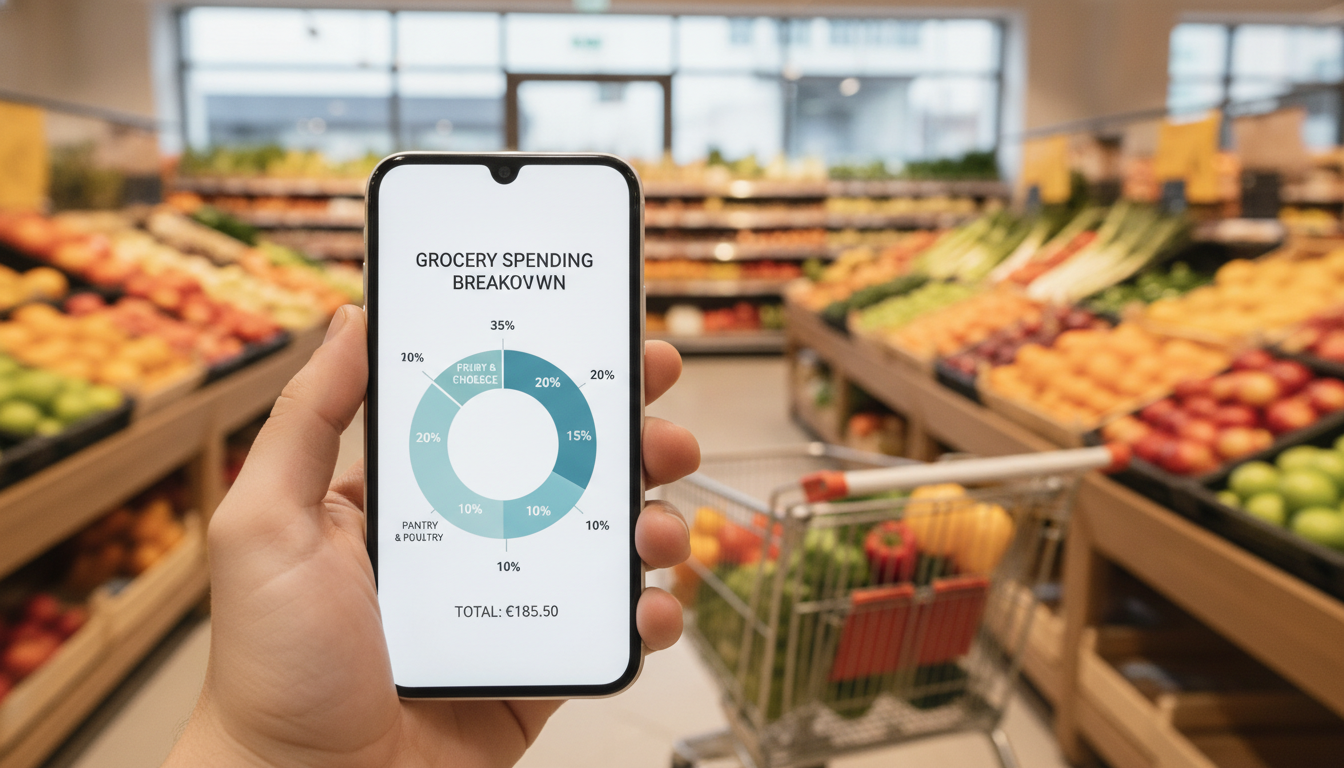
You just got home from the supermarket, bags heavy, and a thermal receipt longer than your forearm is crumpled in your hand. You glance at the total – a bit more than you expected, again. You try to remember if those specific 'MOZZ BBL' you picked up were on sale or if you just paid full price for convenience. Sound familiar? Setting a realistic monthly grocery budget isn't about pulling a number out of thin air; it's about understanding where your money actually goes. And for that, you need real data.
TL;DR: Forget arbitrary numbers. This article guides you through a practical, data-driven approach to setting a realistic monthly grocery budget. We'll show you how to accurately track your spending using modern tools like Costmanager.online, analyse your habits, and build a budget that truly works for you, incorporating European shopping realities.
Key Takeaways
- Your budget needs to be based on your actual past spending, not a guess.
- Accurate item-level tracking, especially from receipts, is fundamental.
- Collect at least three months of spending data to account for variations.
- Categorise your spending to identify where you can save the most.
- Factor in lifestyle changes and create a flexible 'baseline + buffer' budget.
- Regularly review and adjust your budget; it's a living document.
Why Your Current Monthly Grocery Budget Isn't Working (Probably)
Many people set a grocery budget by picking a round number they think sounds reasonable. Maybe it's €400, or €600, or whatever their friend said they spend. But this approach almost always fails. Why?
- It's Arbitrary: An arbitrary number doesn't reflect your unique eating habits, household size, dietary needs, or even where you shop. If you're feeding a family of five with specific dietary requirements, your budget will look very different from a single person who mostly eats out.
- It Forgets Categories: Groceries aren't just food. They include cleaning supplies, toiletries, pet food, and sometimes even small household items. If you only budget for 'food', you'll constantly exceed your limit when you buy toilet paper or washing powder.
- It Ignores Impulse Buys: That tempting display of discounted chocolate at the checkout, the new flavour of crisps you just had to try – these add up, and most arbitrary budgets don't account for them.
- It Doesn't Account for Price Fluctuations: The price of your favourite tomatoes or coffee can change significantly from week to week, or even just between different supermarkets. If your budget is rigid, these changes will throw you off.
The problem is, budgeting isn't just about math; it's about behaviour. When your budget feels impossible to stick to, you get discouraged, and often, you give up. That's why a realistic budget, grounded in your own reality, is so important.
The Foundation: Knowing Your Real Grocery Spending
Before you can set a realistic budget, you need to understand your current spending habits. This isn't about judgment; it's about information. Think of it as gathering intel for your financial mission.
The Receipt Dilemma: From Paper to Data
Your grocery receipts are a treasure trove of information, but they're also a pain. Thermal paper fades faster than your memory of what you had for dinner last Tuesday. Abbreviations like 'P/S F&G MEDIT' or 'GEWÜRZKEKSE' make deciphering items a guessing game. And don't even get me started on the multi-foot-long Kassenbon from Aldi that refuses to fit into a single photo.
This is where technology becomes your best friend. Instead of manually typing everything into a spreadsheet, you need an efficient way to capture this data. Costmanager.online is designed for exactly this. You can use your phone camera to snap photos of your receipts, even those ridiculously long ones that require multiple shots. If you receive digital receipts as PDFs, you can upload those too. Our service uses Google's Gemini AI to accurately read item names, prices, and categories from your receipts – whether it's an Italian 'scontrino' with IVA lines or a German 'Kassenbon' with MwSt. It's built to handle real-world European receipts. Importantly, your receipt images and data are processed securely and aren't saved to your account until you've reviewed and approved them. We never sell your data.
Tracking Methods: Manual vs. Automated
You have a couple of options for tracking your spending:
- Manual Tracking: This involves keeping every receipt, then painstakingly entering each item, its price, and category into a notebook or spreadsheet. It's thorough, but incredibly time-consuming and prone to errors. Who has time to decipher every 'TVA' line and abbreviate product name on a faded receipt every week?
- Automated Tracking (Recommended): This is where apps like Costmanager.online shine. You scan your receipts, and the app does the heavy lifting, turning those cryptic slips of paper into usable data. It automatically categorises items, tracks prices, and gives you a clear overview of your spending. This frees you up to focus on *analysing* your spending, not just collecting it. You can learn more about scanning your receipts at costmanager.online/scanner.
Gather Your Data: At Least 3 Months
To get a truly realistic picture, you need more than just a week or a month of data. Aim for at least three months, ideally six. Why?
- Seasonal Variations: Your spending changes with the seasons. Fresh berries are cheaper in summer; hearty stews and root vegetables are more common in winter. Holiday periods like Christmas, Easter, or summer vacations also impact your spending significantly.
- Irregular Purchases: You don't buy olive oil, flour, or a new pack of cleaning tablets every single week. These less frequent, larger purchases need to be averaged out over several months.
- Special Occasions: Birthdays, dinner parties, or unexpected guests can push up your grocery bill in any given month. Looking at a longer period helps smooth out these spikes.
Use an app like Costmanager.online consistently during this data-gathering phase. Scan every receipt, approve the data, and watch your spending history build up automatically.
Analyzing Your Spending: Where Does Your Money Really Go?
Once you have a few months of data, it's time to put on your detective hat. This is where you uncover the truth about your grocery habits.
Categorisation is Key
Knowing your total spend is good, but knowing *what* you spend on is better. Categorisation is important for identifying areas where you can cut back. Costmanager.online automatically categorises items for you, giving you insights into your spending by category. If you find a 'misplaced' item, you can easily correct its category before saving. For more on this, check out our article on understanding your spending by category.
Common Grocery Categories and Examples
| Category | Examples |
|---|---|
| Produce (Fresh) | Fruits, vegetables, herbs, salad mixes |
| Meat & Fish | Chicken, beef, pork, salmon, cod, deli meats |
| Dairy & Eggs | Milk, cheese, yogurt, butter, eggs |
| Pantry Staples | Pasta, rice, flour, sugar, oil, spices, canned goods |
| Baked Goods | Bread, rolls, pastries, cakes (store-bought) |
| Frozen Foods | Frozen vegetables, pizza, ready meals, ice cream |
| Beverages | Juice, soft drinks, coffee, tea, bottled water |
| Snacks & Sweets | Crisps, chocolate, biscuits, nuts |
| Non-Food Household | Cleaning supplies, laundry detergent, toilet paper, paper towels |
| Personal Care | Soap, shampoo, toothpaste, deodorant |
| Pet Supplies | Pet food, litter, treats |
| Alcohol | Beer, wine, spirits (if bought with groceries) |
Spotting Patterns and Outliers
Look for patterns in your categorised spending. Do you consistently spend a lot on convenience foods or takeout that could be cooked at home? Is your 'snack & sweets' category surprisingly high? Are there months where one-off large purchases (e.g., a big stock-up at a discount wholesaler) skew your average?
Pay attention to the little things. Those daily trips to the corner shop for a bottle of water and a chocolate bar might seem insignificant, but over a month, they can add up to a substantial amount. Compare your spending between different shops too. Maybe you're paying a premium for certain items at a more convenient store when a quick trip to Aldi or Lidl could save you a significant amount. Our article Aldi vs. Lidl: A Price Comparison for Savvy Shoppers might give you some ideas.
Building Your Realistic Monthly Grocery Budget
Now that you have the data and insights, it's time to build your budget. This isn't about starving yourself; it's about making intentional choices.
Calculate Your Average Monthly Spend
Sum up your total grocery spending for the past 3-6 months. Then, divide that total by the number of months. This gives you your baseline average. For example, if you spent €1500 over three months, your average is €500/month.
(Month 1 Total + Month 2 Total + Month 3 Total) / 3 = Average Monthly Spend
If one month was unusually high due to a big celebration, consider excluding it or adjusting it down to a more typical figure before calculating your average.
Factor in Lifestyle and Goals
Your average spend is a starting point, but it's not necessarily your target. Ask yourself:
- Am I happy with my current spending? If you want to save money, your target will be lower than your average. If you want to upgrade to more organic produce, it might be slightly higher.
- Are there upcoming changes? A new baby, a shift to a vegetarian diet, or starting a new job with less time for cooking will all impact your grocery needs.
- What are my overall financial goals? Is saving for a holiday or a down payment on a house a priority? Groceries are often one of the easiest areas to adjust to free up cash.
The "Baseline + Buffer" Approach
I find this method incredibly effective. Set a 'baseline' budget that covers your essential, regular groceries. This is the number you aim for most weeks.
Then, add a 'buffer' – a small percentage (e.g., 5-10%) on top of that baseline. This buffer is for unexpected price increases, a last-minute dinner with friends, or simply trying a new ingredient without feeling guilty. It makes your budget flexible and less likely to break. If you don't use the buffer, great! Roll it over to next month or put it into savings.
Costmanager.online Pro offers specific budgeting tools and price alerts, which can be invaluable here. You can set a budget for different categories and get notifications if you're nearing your limit. The price alerts can also tell you when your favourite products are at their cheapest, helping you stock up wisely.
Practical Adjustment Strategies
Once you have a target monthly grocery budget, how do you stick to it? Here are some proven strategies:
- Meal Planning: This is a game-changer. Plan your meals for the week, then create a shopping list based *only* on those meals. This reduces impulse buys and food waste.
- Shopping Lists & Price Comparison: Always go to the shop with a list. Better yet, use Costmanager.online's shopping list feature, which can even tell you which shops have the best prices for the items on your list, helping you find the cheapest option.
- Cook from Scratch: Processed foods and ready meals almost always cost more than cooking with basic ingredients. A simple pasta dish from scratch is far cheaper than a ready-made lasagna.
- Buy In-Season & Local: Produce that's in season and grown locally is often cheaper and tastier.
- Bulk Buying (Wisely): Buying non-perishables like rice, pasta, or tinned goods in larger quantities can save money, but only if you have the storage and will actually use them before they expire.
- Limit Trips: More trips to the supermarket often mean more impulse buys. Try to do one main shop and maybe one small top-up trip per week.
Stick to It: Monitoring and Adjusting Your Budget
A budget isn't a static document; it's a living guide. You need to monitor it and be willing to adjust.
- Regular Check-ins: Take 15 minutes each week to review your spending in Costmanager.online. See where you are against your budget. Are you on track? Over budget in a certain category?
- Don't Get Discouraged: Everyone overspends sometimes. The key is to learn from it. Did you forget to meal plan? Were there unexpected guests? Don't abandon your budget; just adjust your plan for the next week.
- Flexibility is Key: A budget that's too restrictive will break. Allow yourself some wiggle room. If you decide to splurge on a nice bottle of wine for a special dinner, know that you might need to cut back slightly on something else that week.
- Review Periodically: At least once a quarter, or even every six months, sit down and do a full review of your budget. Has your income changed? Your household size? Your dietary needs? Adjust your baseline and buffer as needed.
Your Path to Smarter Spending
Taking control of your monthly grocery budget might seem daunting at first, but with the right tools and a data-driven approach, it's entirely achievable. By understanding your true spending habits, leveraging technology to make tracking easy, and applying practical strategies, you'll move from guessing to knowing. This isn't just about saving money; it's about gaining confidence, reducing stress, and making informed choices that align with your financial goals. Start scanning those receipts today – your wallet will thank you.
Frequently asked questions
How do I know if my grocery budget is realistic?
A realistic grocery budget is one you can consistently stick to without feeling deprived or constantly overspending. It should be based on your actual past spending data, adjusted for any changes in your lifestyle or financial goals, and include a small buffer for flexibility.
What should I include in my grocery budget?
Your grocery budget should encompass all food items (fresh produce, meat, dairy, pantry staples, snacks, beverages), plus non-food household essentials like cleaning supplies, laundry detergent, and personal care items. Essentially, anything you buy from a supermarket or grocery store.
How often should I review my grocery budget?
It's a good idea to monitor your spending against your budget weekly or bi-weekly. For a full review and potential adjustments to the budget itself, aim for at least once a quarter or every six months, especially if your circumstances change.
Can a grocery budget really save me money?
Absolutely. A well-planned and monitored monthly grocery budget helps you identify wasteful spending, reduce impulse buys, and make more conscious choices about where and what you buy. This leads to significant savings over time by aligning your spending with your financial goals.