Germany Supermarket Prices: REWE vs. Edeka Receipts
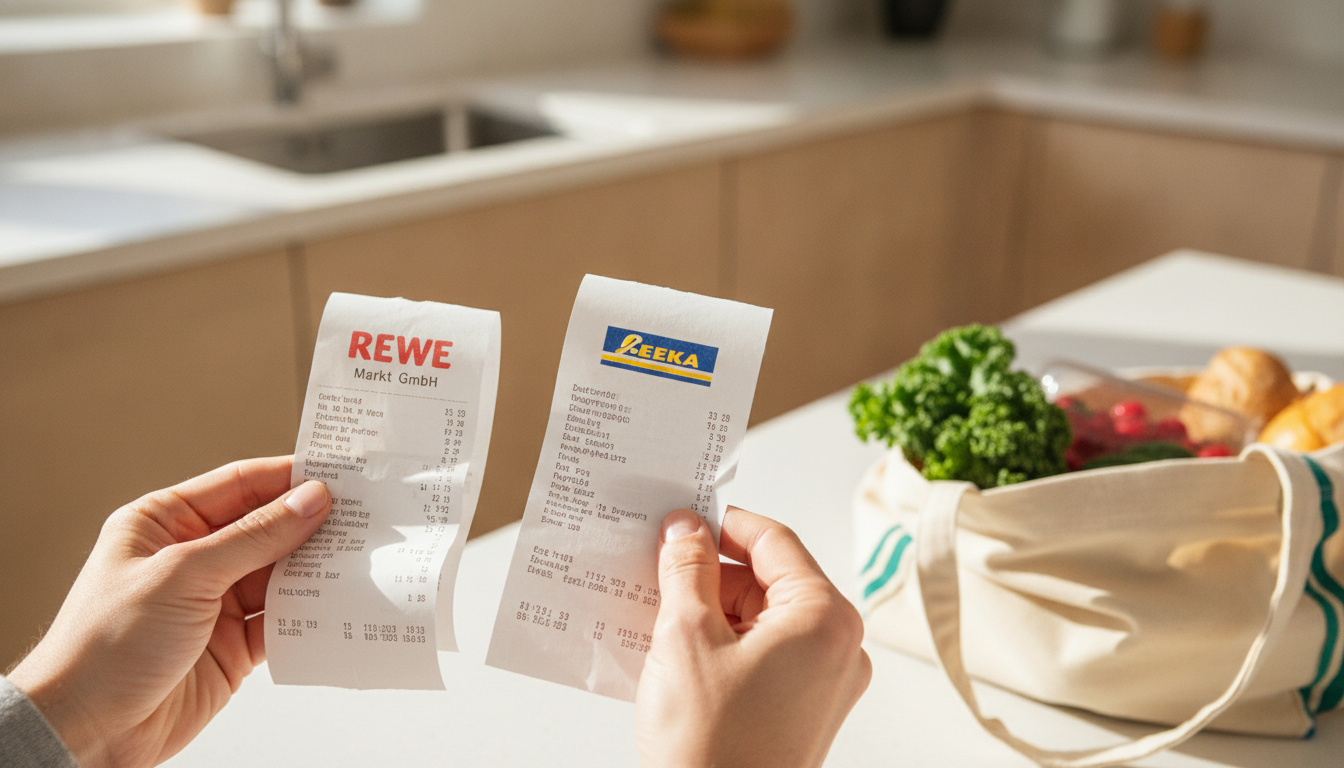
You've just finished a shop at REWE, Kassenbon crumpled in your hand, then remember you need milk from Edeka. Sound familiar? Many of us in Germany juggle shopping between supermarkets, always wondering where we get the best value. Especially with rising costs, knowing if you're truly saving money on your weekly shop at REWE or Edeka is more important than ever. This article will show you how to truly compare Germany supermarket prices REWE Edeka by using the most overlooked tool in your pocket: your receipts.
TL;DR
Struggling to tell if REWE or Edeka offers better deals on your groceries in Germany? You're not alone. This guide shows you how to use your Kassenbons and smart scanning tools like Costmanager.online to compare prices item by item, helping you save real money without endless manual checking.
Key Takeaways
- Manual price comparison is time-consuming and often inaccurate.
- Your Kassenbon contains all the data you need for smart comparisons.
- Receipt scanning apps like Costmanager.online automate the process.
- Costmanager.online uses Google's Gemini AI to accurately read German receipts.
- You can track item-level prices and spending across different shops.
- Data is secure: not saved until approved, never sold.
Why Comparing Germany Supermarket Prices (REWE & Edeka) Matters
It's not just about saving a few cents. Inflation has squeezed household budgets across Europe. Every Euro saved on groceries adds up, freeing up money for other things. When you regularly compare where you buy your staples, you're actively fighting against rising costs and making your money work harder.
The Hidden Costs of Guesswork
Most of us guess. We think Edeka might be cheaper for dairy, or REWE for organic produce. But without concrete data, these are just hunches. You could be consistently overspending on items without even knowing it, simply because you're shopping out of habit rather than informed choice. Imagine buying the same carton of milk for €0.10 more every week for a year. That's over €5 lost. It doesn't sound like much, but multiply that across 20 common items. The numbers quickly become significant.
The Receipt is Your Secret Weapon
Your Kassenbon (that long slip of thermal paper) is a goldmine of financial data. It lists every item, its price, the quantity, and often includes VAT details (MwSt). This isn't just proof of purchase; it's a detailed record of your spending.
Decoding the Kassenbon: What to Look For
- Product Abbreviations: "MOZZ BBL", "BIO BROKKOLI", "M-KAFFEE". German receipts often use short, sometimes cryptic, descriptions. You'll need to pay attention to these.
- Unit Prices: Sometimes, the price per 100g or 1kg is printed, which is incredibly helpful for direct comparison.
- Dates and Times: Essential for tracking price changes over time.
- VAT Lines (MwSt): While not directly relevant for price comparison, it's a common European feature you'll see.
The trick is getting this information off the paper and into a usable format.
The Old Way vs. The Smart Way: Comparing REWE and Edeka Receipts
Manual Comparison: The Pen-and-Paper Method
The traditional approach involves keeping all your receipts, then sitting down with a spreadsheet or a notebook. You'd list items from one REWE receipt, then find the equivalent items on an Edeka receipt, and write down their prices.
Illustrative Example: Manual Price Comparison (Kassenbon Data)
| Item | REWE Price (Example) | Edeka Price (Example) | Difference |
|---|---|---|---|
| Milch 1.5% 1L | €1.09 | €1.15 | Edeka +€0.06 |
| Butter 250g | €2.19 | €2.09 | REWE +€0.10 |
| Bio Eier (6er) | €2.49 | €2.59 | Edeka +€0.10 |
| Weizenmehl 1kg | €0.79 | €0.75 | REWE +€0.04 |
This is incredibly time-consuming, especially for long receipts or if you shop frequently. Thermal paper fades, receipts get lost, and comparing dozens of items manually is a chore nobody wants. It's often inaccurate due to typos or just giving up halfway through.
The Costmanager.online Difference: Effortless Tracking
This is where modern tools shine. Costmanager.online is a receipt scanner and grocery price-tracking app designed for real-world shoppers. It takes the pain out of comparing prices by digitizing your Kassenbons and giving you detailed insights.
When you scan a German receipt, Costmanager.online uses Google's powerful Gemini AI service to read the image or PDF. This means it accurately picks out those tricky product abbreviations and prices, even on long or faded Kassenbons. If for some rare reason the primary service encounters an issue, on-device OCR acts as a fallback. The AI also assists with product translation and categorization, ensuring your data is clean and actionable.
No more faded paper or manual data entry. All your spending is captured at an item level, allowing you to see exactly what you paid, where, and when. And don't worry about your data: nothing is saved to your account until you review and approve it, and Costmanager.online never sells your data. You can learn more about how it works at https://costmanager.online/scanner or visit the main site at https://costmanager.online/.
Step-by-Step: Comparing REWE and Edeka with Costmanager.online
Using the app for comparison is straightforward.
1. Capture Your Kassenbons
Whether it's a fresh Kassenbon from REWE or an old one from Edeka, just open the Costmanager.online app. Use your phone's camera to snap a picture. Got a super long Aldi or Edeka slip that won't fit in one photo? No problem, the app handles multi-photo long receipts, stitching them together smoothly. You can also upload PDF receipts if you get them via email.
2. Review and Categorise
After scanning, the Gemini AI will have extracted the items. You'll get a chance to quickly review the digitized items. This is where you can confirm the product, correct any minor errors (rare, thanks to the AI), and assign it to a spending category (e.g., "Dairy", "Produce", "Household"). Remember, your data isn't saved to your account until you approve it.
3. Track Item-Level Prices
Once approved, Costmanager.online automatically builds a price history for each product. Next time you buy the same "Bio Eier (6er)" at REWE or Edeka, the app knows, and adds that new price point to the item's history. This is key for comparing.
4. Spot Trends and Savings
Now, the magic happens.
- Price History: Look up any specific product, and you'll see a graph or list of its prices over time, detailing what you paid at REWE, Edeka, and any other shop.
- Shopping List: Create a shopping list in the app. Costmanager.online can then tell you which shop (based on your scanned prices) currently offers the cheapest price for the items on your list. Imagine knowing Edeka has cheaper butter this week, while REWE has better deals on vegetables.
- Spending Insights: See your spending broken down by category (e.g., how much you spent on "Meat" at REWE vs. Edeka). This gives you a clear picture of your habits. For more on this, check out our article on https://costmanager.online/blog/spending-by-category.
- Price Alerts: Set up alerts for your favorite products. Get notified if the price drops below a certain point, or if it goes up unexpectedly.
Beyond Prices: Other Factors When Choosing REWE or Edeka
While price is a big driver, it's not the only factor.
- Quality and Selection: Maybe REWE offers a wider range of organic products you prefer, or Edeka has a specialty cheese counter you love.
- Convenience: Proximity to your home or work, opening hours, parking availability. A slightly higher price might be worth the saved time and fuel.
- Store Experience: Layout, cleanliness, staff friendliness.
The goal isn't necessarily to always buy everything at the absolute cheapest store. It's about making informed decisions. You might decide that for fresh produce, Edeka's quality justifies a slightly higher price, but for pantry staples, you'll always hit REWE because Costmanager.online shows they're consistently cheaper.
Making Smart Choices for Your Wallet
Understanding Germany supermarket prices REWE Edeka comparison isn't about pinching every penny until it screams. It's about smart spending, making your budget go further, and taking control of your grocery costs. By using your receipts as data and leveraging tools like Costmanager.online, you transform a chore into an empowering habit. You'll gain clarity on where your money goes, make better shopping decisions, and ultimately, keep more cash in your pocket. It's a simple, effective way to manage your household budget in today's economy.
- You might also find our guide on https://costmanager.online/blog/how-to-track-grocery-spending helpful.
- For a deeper dive into digitizing receipts, take a look at https://costmanager.online/blog/digitize-paper-receipts-budgeting.
Frequently asked questions
How can I compare REWE and Edeka prices effectively?
The best way is to track your actual purchases over time using a receipt scanner app. By digitizing your Kassenbons from both stores, you get item-level insights to see where you save most. Costmanager.online helps you do this by capturing details from your receipts.
Does Costmanager.online use AI to read German receipts?
Yes, Costmanager.online uses Google's Gemini AI service to accurately read receipt images and PDFs. This ensures precise extraction of product names, prices, and quantities from complex German Kassenbons. On-device OCR is only a fallback if the primary service fails.
Is my receipt data safe with Costmanager.online?
Absolutely. Your receipt data is processed securely by Google's Gemini AI and is not saved to your account until you review and approve it. Costmanager.online never sells your data, ensuring your privacy is always protected.
Can I compare specific product prices between REWE and Edeka?
Yes, with Costmanager.online, you can track the price history of individual products across different shops like REWE and Edeka. This feature lets you see exactly how much you paid for a specific item at each store over time. You can even set price alerts for your favorite products.